Table of Contents >> Show >> Hide
- HDD vs SSD in 2023: Which One Should You Actually Buy?
- How These Picks Were Chosen
- The 10 Best External Hard Drives in 2023
- 1) Samsung T7 Shield Portable SSD Best Overall for Most People
- 2) WD My Passport (Works with USB-C) Best Affordable Portable HDD for Big Storage
- 3) SanDisk Professional G-DRIVE ArmorATD Best Rugged Portable HDD
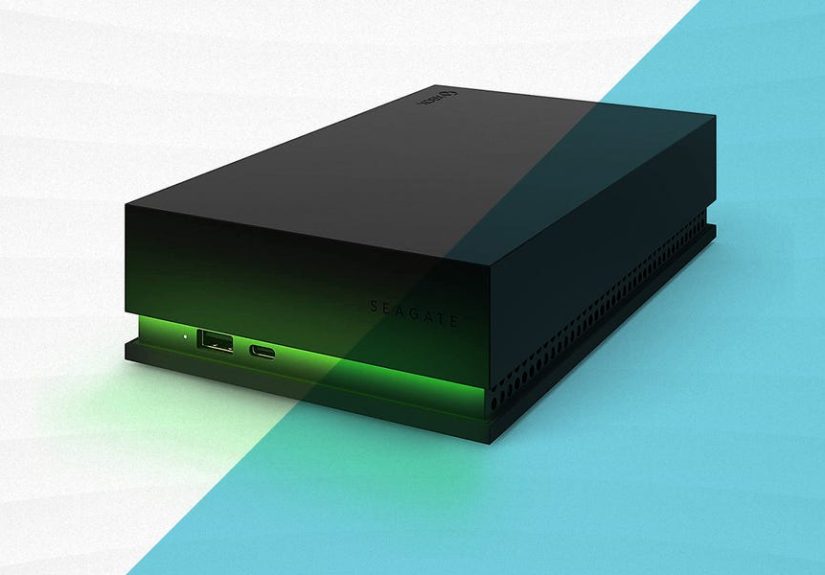
- 4) WD_BLACK P10 Game Drive Best External HDD for Console & Game Libraries
- 5) Toshiba Canvio Flex Best “Works With Mac and Windows” Portable HDD
- 6) LaCie Mobile Drive Best Slim, Stylish Portable HDD for Mac-Friendly Setups
- 7) G-Technology (SanDisk Professional) G-Drive USB-C Best Desktop HDD for Speedy Backups
- 8) LaCie d2 Professional Best Premium Desktop HDD for Creative Workstations
- 9) Crucial X6 Portable SSD Best Budget Portable SSD
- 10) OWC Envoy Pro FX Best Pro-Grade External SSD (Thunderbolt + USB Flexibility)
- Buying Guide: What to Look for Before You Buy
- 2023 Reality Check: Reliability, Backups, and “Don’t Trust a Single Copy”
- Setup Tips: Make Your External Drive Faster and Less Annoying
- of Real-World Experience With External Drives (Lessons Learned)
- Conclusion
External storage is the adult version of buying extra closet space. You don’t think you need it… until your laptop gasps,
your phone screams “Storage Almost Full,” and your “final_final_reallyFINAL.mp4” won’t export. In 2023, the external-drive
world was basically split into two camps: big, affordable spinning hard drives (HDDs) for capacity and backups,
and smaller, faster portable SSDs for speed, travel, and creative workflows.
This guide picks the 10 best external drives you could buy in 2023a mix of portable HDDs, desktop HDDs,
rugged options, gaming-focused models, and speed-demon SSDsplus a simple buying checklist so you don’t accidentally pay
“Thunderbolt money” for “USB 2.0 vibes.”
HDD vs SSD in 2023: Which One Should You Actually Buy?
Choose an external HDD if you want cheap capacity
HDDs were still the best deal per terabyte in 2023, especially at higher capacities. They’re great for:
Time Machine / Windows backups, long-term archives, photo libraries, and “I have 6 years of family videos”
situations. The tradeoff: they’re slower and don’t love being dropped.
Choose a portable SSD if you want speed (and less drama)
SSDs are faster, lighter, and more durable because they have no moving parts. They’re ideal for:
editing video off the drive, moving huge folders quickly, running game libraries on the go, and travel.
The tradeoff: higher cost per GBthough prices improved a lot by 2023 standards.
How These Picks Were Chosen
The selections below synthesize performance testing, specs, durability ratings, warranty info, and real-world usage notes
from a range of reputable U.S. tech and pro-creator publications, plus reliability reporting. The goal is simple:
pick drives that make sense for how people actually use external storagebackups, travel, gaming, and creative work
not just “the one with the loudest marketing.”
The 10 Best External Hard Drives in 2023
1) Samsung T7 Shield Portable SSD Best Overall for Most People
If you want one drive that can handle everyday backups and fast transfers without treating your bag like a fragile museum exhibit,
the T7 Shield was a standout. It targets portable durability with an IP rating and a grippy outer shell, while still delivering
the kind of speed that makes large transfers feel… less like a life event.
Why it’s great: It’s rugged (IP-rated), fast enough for most workflows, and supports strong encryption.
In plain English: it’s the drive you can toss in a backpack and trust more than your memory.
- Best for: students, remote workers, photographers, everyday backups, travel
- Not ideal for: people chasing the absolute fastest Thunderbolt/USB4 speeds
2) WD My Passport (Works with USB-C) Best Affordable Portable HDD for Big Storage
In 2023, portable HDDs still ruled the land of “I need multiple terabytes and I’d like to keep my kidneys.” The
WD My Passport line stayed popular because it offered lots of capacity in a small, bus-powered drive.
Just don’t confuse “works with USB-C” marketing with “native USB-C port” realitysome models used older connectors with adapters.
Why it’s great: low cost per terabyte, compact size, and performance that’s perfectly fine for streaming media and background backups.
- Best for: budget-minded backups, storing large photo/video libraries, extra laptop storage
- Watch out for: connector/cable details (what port you actually get matters)
3) SanDisk Professional G-DRIVE ArmorATD Best Rugged Portable HDD
The ArmorATD (formerly under the G-Technology branding) is built for people who treat “on location” as a lifestyle,
not a once-a-year vacation. If your drive rides in camera bags, gets set down on questionable surfaces, or is asked
to survive the occasional “oops,” this is the kind of rugged HDD that makes sense.
Why it’s great: durability-focused design, a practical choice for travel and field work when you need HDD-level capacity.
- Best for: photographers, videographers, travel backups, on-the-go archiving
- Not ideal for: editing directly from the drive (SSD is better for that)
4) WD_BLACK P10 Game Drive Best External HDD for Console & Game Libraries
Games got enormous in 2023 (and they’ve been bulking up ever since). The WD_BLACK P10 is a strong pick
when you want a dedicated library driveespecially for moving games off internal storage or expanding a console setup.
It’s an HDD, so it won’t match SSD load times, but it offers solid real-world throughput for its class and convenient capacities.
Why it’s great: consistent HDD performance, gamer-friendly design, and enough space to keep your library from becoming a cruel joke.
- Best for: PS4/PS5 storage expansion workflows, Xbox libraries, PC game archives
- Tip: use SSD for “play now,” use HDD for “store and rotate”
5) Toshiba Canvio Flex Best “Works With Mac and Windows” Portable HDD
If you bounce between macOS and Windows (or you share a drive with someone who does), compatibility matters.
The Canvio Flex targets exactly that use case: a straightforward portable HDD built to be cross-platform friendly.
It’s not flashy. That’s kind of the point.
Why it’s great: simple cross-platform intent, good for households and mixed-device teams.
- Best for: students, families, shared backups, multi-computer setups
- Reminder: formatting choices can make or break compatibility (exFAT is often the peace treaty)
6) LaCie Mobile Drive Best Slim, Stylish Portable HDD for Mac-Friendly Setups
LaCie has long been a “creative desk” staple, and the LaCie Mobile Drive fits that vibe:
compact, clean design, and aimed at people who care that their accessories don’t look like they came free with a printer in 2009.
It’s a portable HDD, so it’s for backups and storagenot speed championships.
Why it’s great: a polished, pocketable HDD option with USB-C convenience for everyday storage expansion.
- Best for: Mac users, minimal desk setups, nightly backups
- Not ideal for: heavy on-drive editing or scratch-disk workloads
7) G-Technology (SanDisk Professional) G-Drive USB-C Best Desktop HDD for Speedy Backups
Desktop drives are the unsung heroes of “set it and forget it.” The G-Drive USB-C is a desktop-class HDD that
was praised for strong performance in testingexactly what you want if you’re backing up large folders regularly.
It’s the kind of drive you leave plugged in, quietly doing its job while you pretend your file organization system isn’t chaos.
Why it’s great: fast-for-an-HDD performance, higher capacities, and a desktop form factor meant to live on a workstation.
- Best for: home office backups, creators with large media folders, desktop PCs and iMac setups
- Needs: wall power (desktop drives are not bus-powered)
8) LaCie d2 Professional Best Premium Desktop HDD for Creative Workstations
If your desk is basically a miniature post-production studio, the LaCie d2 Professional is the kind of drive designed to fit in
both visually and thermally. It’s built as a workstation companion with a focus on durability and heat management,
and it’s meant for the long haul of big projects and big backups.
Why it’s great: premium build, desktop reliability focus, and a “this belongs next to your monitor” design.
- Best for: creative pros, long-term desktop storage, large backup rotations
- Not ideal for: people who need pocket portability
9) Crucial X6 Portable SSD Best Budget Portable SSD
The Crucial X6 earned its reputation as a “good enough to recommend without sweating” portable SSD.
It’s not the fastest thing on the planet, but it’s light, simple, and usually priced like it wants you to actually buy it.
For everyday transfers and backups, it does the job.
Why it’s great: strong value, pocket-friendly design, and performance that fits normal life.
One important nuance: like many portable SSDs, sustained writes can drop after cache fillsfine for typical use,
but something to know if you write massive amounts continuously.
- Best for: everyday users who want SSD convenience on a budget
- Tip: if you regularly write hundreds of GB in one go, consider a higher-end NVMe-based portable SSD
10) OWC Envoy Pro FX Best Pro-Grade External SSD (Thunderbolt + USB Flexibility)
The OWC Envoy Pro FX is for people who say things like “ingest,” “DIT,” or “scratch disk” without irony.
It’s built to deliver high performance over Thunderbolt while still remaining usable across a wide range of devices via USB-C.
It also targets rugged use with serious certifications, making it a compelling option when speed and durability both matter.
Why it’s great: Thunderbolt/USB flexibility, very high data rates, and rugged certifications for demanding users.
- Best for: video editors, on-set workflows, power users with Thunderbolt/USB4 gear
- Tradeoff: costs more than basic portable SSDs (but that’s the point)
Buying Guide: What to Look for Before You Buy
1) Connection type (and why your “fast port” might not be fast)
In 2023, the most common sweet spot was USB 3.2 Gen 2 (10Gbps) for portable SSDs. Many drives advertised big numbers,
but your computer’s port decides what you actually get. A fast drive plugged into a slow port becomes… a slow drive with delusions of grandeur.
2) Capacity planning (aka “buy bigger than you think”)
A good rule: if you’re buying for backups, aim for 2x to 3x the storage you’re currently using. Backups grow.
So do video files. So does the folder named “Screenshots,” somehow.
3) Ruggedness and ratings
If the drive travels, look for IP ratings (dust/water resistance) and drop protection. Rugged SSDs are the least risky “throw it in a bag” option.
Rugged HDDs exist, but an SSD is still generally more drop-friendly because it has no moving parts.
4) Security and encryption
If the drive holds sensitive data (client work, tax documents, medical records, proprietary files), prioritize
hardware encryption and good password tools. Losing a drive is annoying; losing a drive with unencrypted data is a career-limiting move.
5) Sustained performance (the spec sheet’s sneaky little secret)
Some SSDs hit great peak speeds but slow down on very large transfers once their cache fills. If you frequently dump huge projects
(think: hundreds of GB of footage), consider drives known for stronger sustained writes or higher-end interfaces (Thunderbolt/USB4).
2023 Reality Check: Reliability, Backups, and “Don’t Trust a Single Copy”
Drives fail. Sometimes slowly, sometimes like a trapdoor opening beneath your deadline. Large-scale reliability tracking has shown
annualized failure rates that fluctuate year to year, reminding us that storage is not a “set it and forget it forever” purchase.
The best protection isn’t a brand logoit’s a backup strategy.
A quick, practical backup rule: 3-2-1
- 3 copies of important data
- 2 different types of storage (e.g., external drive + cloud)
- 1 copy offsite (cloud or a drive stored elsewhere)
Also: 2023 had some very public portable SSD reliability headlines
In 2023, there were widely reported complaints and lawsuits involving certain portable SSD models in the SanDisk/WD family.
The takeaway isn’t “panic-buy a different brand,” it’s: keep backups, update firmware, and buy from reputable sellers.
Your data deserves more than one place to exist.
Setup Tips: Make Your External Drive Faster and Less Annoying
- Use the right format: exFAT for Mac/Windows sharing, APFS for Mac-only performance, NTFS for Windows-only (unless you add Mac drivers).
- Name it like a grown-up: “2023_Backup_Photos” beats “New Volume (3).” Future you will thank present you.
- Encrypt the important stuff: use hardware encryption when available; otherwise use OS-level encryption tools.
- Test restore once: a backup you’ve never tried restoring is just a comforting story you tell yourself.
- Don’t cheap out on cables: a bad cable can turn a fast SSD into a mystery problem.
of Real-World Experience With External Drives (Lessons Learned)
Here’s what external-drive life looked like for a lot of people in 2023: you started with great intentions (“I will back up weekly”),
then got busy, then suddenly cared deeply about storage at 1:12 a.m. when a project folder refused to open. That’s not a moral failing.
That’s just being human with a computer.
The most common “aha” moment came from photographers and creators. On paper, an HDD seemed fineuntil you tried to copy 300GB of RAW files
while also culling images, exporting previews, and answering emails. That’s when a portable SSD like the T7 Shield felt like magic:
imports finished faster, the computer stayed responsive, and you stopped timing your transfers like you were waiting for bread to rise.
But creators also learned a second lesson: speed doesn’t replace safety. The people who slept best were the ones with two copies of footage
before formatting a card. The ones who slept worst were the ones who trusted a single drive because “it’s brand new.”
Gamers had their own 2023 story: game installs ballooned, internal SSD space vanished, and everyone became an amateur storage engineer.
The typical winning setup was simple: keep your “current rotation” on an internal SSD, then park everything else on an external HDD like the WD_BLACK P10.
You didn’t always get instant load times, but you did get your console space backand you stopped deleting games you’d swear you were “definitely going to play again.”
(We both know you weren’t. But it’s the thought that counts.)
Students and remote workers learned that portable drives are basically tiny insurance policies. A budget HDD was enough for course files and photos,
but a small SSD was more convenient for daily carryespecially when it could survive being tossed into a backpack next to keys, chargers, and the chaos blob
that is modern life. The biggest “experience upgrade” wasn’t even speed; it was building the habit of plugging in the drive every Friday and letting backup software run.
That one boring habit prevented a shocking amount of panic later.
And then there were the IT/admin-minded folksthe ones who looked at everyone else and quietly whispered, “You need 3-2-1.”
They rotated drives, kept one offsite, labeled everything, and occasionally muttered about file naming conventions. Annoying? Maybe.
But when a drive did fail (because yes, drives fail), they didn’t lose the data. They lost five minutes and a small amount of faith in humanity.
The big, universal 2023 lesson: the “best” external drive isn’t just the fastest or cheapest. It’s the one you’ll actually use consistently
and the one that fits into a backup routine that doesn’t rely on luck.
Conclusion
In 2023, the smartest external-drive choice came down to how you work. Need the most storage for the least money? Portable and desktop HDDs still dominated.
Need speed, durability, and travel-friendly convenience? Portable SSDs were the upgrade that made backups and transfers feel painless.
Pick the drive that matches your real lifeand then protect your data like it matters, because it does.