Table of Contents >> Show >> Hide
- What Does a Factory Reset on Android Actually Do?
- Why People Factory Reset Their Android Phones
- The Surprising Results of a Factory Reset
- Before You Factory Reset Android: What to Do First
- How to Factory Reset Android the Smart Way
- Factory Reset vs. Other Android Reset Options
- When a Factory Reset Is Worth It
- Experience Corner: What People Commonly Notice After a Factory Reset
- Final Thoughts
- SEO Tags
There comes a moment in every Android phone’s life when it starts acting like a dramatic theater kid. Apps crash for no reason. Battery life vanishes like fries at a family picnic. Storage fills up even though you swear you only saved “a few” screenshots. That is when many people whisper the four spooky words: factory reset Android phone.
It sounds extreme, because it is a little extreme. A factory reset wipes your phone and sends it back to its out-of-the-box state. But the surprising part is not just that it deletes things. The real surprise is what happens after. Sometimes your phone feels faster, cleaner, and less cursed. Other times, you discover the reset fixed only half the problem because the real villain was low storage, outdated software, a buggy app, or your own habit of having 97 browser tabs open on a six-inch screen.
In this guide, we will break down what a factory reset on Android really does, when it makes sense, what results people are often surprised by, and how to avoid turning a “fresh start” into a “why are all my photos gone” kind of afternoon.
What Does a Factory Reset on Android Actually Do?
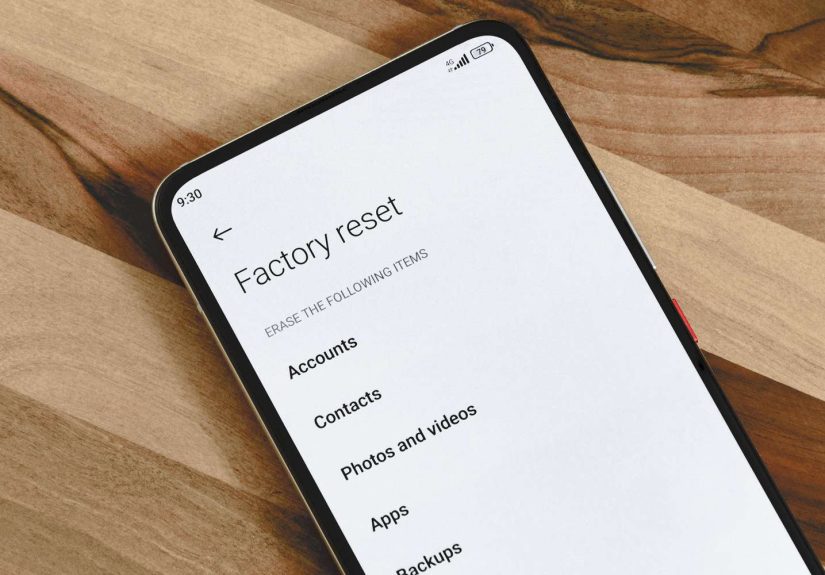
A factory reset removes your personal data, downloaded apps, and custom settings from the phone’s internal storage. In plain English, it strips the device back to the version of itself that existed before you filled it with group chats, game saves, suspicious weather apps, and 14 nearly identical photos of your dog sleeping.
That means a reset usually wipes:
- Downloaded apps and their data
- Contacts stored only on the device
- Messages and call history not synced to a cloud account
- Custom settings, saved Wi-Fi networks, and preferences
- Files stored in the phone’s internal storage
It does not magically cancel your carrier plan, fix broken hardware, or make a worn-out battery behave like it just came off the assembly line. A reset can clear software clutter, but it cannot negotiate with physics.
The Part That Catches People Off Guard
Many users assume a factory reset means everything is gone forever. Sometimes that is true. Sometimes it is not. If your Android device has been backing up to your Google account, a lot of your data can come back during setup, including supported app data, contacts, call history, device settings, SMS and MMS messages, and photos if they were stored in Google Photos. That is great news if you planned ahead. It is less great if you were hoping to erase your digital past and accidentally invited it right back in.
That is one of the first surprising results of a factory reset: the phone may look brand new, but your digital life can return quickly once you sign in and restore a backup.
Why People Factory Reset Their Android Phones
Most people do not wake up excited to wipe their phones. They do it for a reason, and usually one of these:
1. The Phone Feels Slow
This is the classic reason. Android phones can feel sluggish when storage is nearly full, apps are misbehaving, background processes pile up, or the software is out of date. A reset can help because it clears out app clutter and bad configurations. But here is the plot twist: if the phone is slow because storage is still cramped, the battery is aging, or the software version is outdated, a reset may help only a little.
In other words, a reset can be a useful cleanup move, but it is not always the hero of the story. Sometimes the real fix is updating Android, freeing space, or identifying the app that keeps acting like it owns the place.
2. Apps Keep Crashing
If random apps freeze, reboot loops appear, or the phone keeps locking up, a factory reset can restore stability by removing corrupted app data and starting fresh. This is especially true after long periods of app installs, software changes, and user tinkering that felt smart at the time.
3. Malware or Spyware Concerns
People often ask whether a factory reset removes malware on Android. In many cases, yes. That is why security experts often treat it as a last resort for deeply stubborn infections. But there is a catch with teeth: if you restore from a backup that already included the infected app or shady configuration, you can accidentally bring the problem right back. Congratulations, you just reinstalled your headache.
4. Selling, Trading In, or Giving Away the Phone
This is the smart and responsible reason. Before selling or donating a device, wiping personal data matters. A factory reset is the standard move, but it should come after you have backed up what you need and made sure the device can be handed off cleanly.
5. The Phone Is Lost
If your device is missing and you are sure you are not getting it back, Android gives you the option to erase it remotely. This is a useful last resort because it protects your personal data, but it also means the phone can no longer be tracked afterward. Once you hit that button, the curtain drops.
The Surprising Results of a Factory Reset
Now for the fun part. Here are the results that tend to surprise people most.
Your Phone Can Feel Weirdly Fast Again
After a reset, many users report that their phone feels snappier. Menus open faster. Random lag disappears. Apps stop stuttering. This happens because the reset removes accumulated app data, rogue background processes, and software junk that built up over time.
It can feel like your phone found religion and turned its life around.
Still, this speed boost is not always permanent. If you reinstall every bloated app you had before, ignore updates, and fill storage to the brim again, your phone may eventually slide back into bad habits like a gym membership in February.
You May Be Asked to Prove the Phone Is Yours
This is one of the biggest surprises for people resetting a device in a hurry. Android has protections designed to stop thieves from wiping a stolen phone and setting it up as new. That means after a reset, especially one done through recovery mode or without the usual sign-out steps, you may need to enter the existing screen lock, PIN, pattern, or the Google account previously associated with the device.
This security feature is helpful, but it can feel deeply unhelpful if you forgot the account password five minutes before a road trip.
Not Everything Comes Back Exactly the Same
Backups are helpful, but they are not magic clones. Some app data restores beautifully. Other data may not. Certain apps require you to log in again. Some game progress may vanish if it was not cloud synced. A few settings may come back, while others need manual setup. Think of it less like teleportation and more like moving house with a good checklist and a few missing socks.
It Can Remove Malware, But It Can Also Reintroduce Old Problems
If you reset to get rid of a nasty app or suspicious behavior, the phone may become calm and normal again. No pop-ups, no battery drain, no spooky permission requests from a flashlight app that apparently needed access to your microphone, camera, and soul.
But if you reinstall the same bad app, restore the wrong backup, or skip updating the phone afterward, the issue can return. A reset is a clean slate, not a lifelong warranty.
Your Setup Takes Longer Than You Think
People imagine a factory reset as a quick ten-minute reboot and a triumphant return to normal life. In reality, the reset itself can take a while, and the setup afterward can take longer. You may need to connect to Wi-Fi, sign in to your Google account, restore a backup, redownload apps, verify two-factor logins, and remember which password manager held the one password you now suddenly need.
So yes, the reset is simple. Rebuilding your digital house afterward is where the real work lives.
Before You Factory Reset Android: What to Do First
If you are thinking about wiping your phone, do these steps before you go full nuclear.
Back Up Everything Important
Start with your Google backup settings and confirm the last backup date. Check photos, contacts, messages, and anything else you would cry about later. If you use a Samsung device, a local backup with Smart Switch can also be helpful. Backing up is not glamorous, but neither is realizing your vacation photos now live only in your memory and one blurry Instagram Story.
Charge the Phone
A reset should not start on a nearly dead battery. Give the device enough charge so it can complete the process without drama.
Know Your Google Account and Password
This is not optional. If Android asks you to verify ownership after the reset, you need that information. If you changed the password recently, double-check that everything is ready before you proceed.
Try Smaller Fixes First
Before wiping the whole phone, try restarting, updating Android, clearing space, updating apps, or checking whether one recent app is causing the trouble. A factory reset is often recommended only after simpler troubleshooting has failed.
How to Factory Reset Android the Smart Way
The easiest path is through Settings. On most Android phones, the menu is some version of:
Settings > System or General Management > Reset options > Erase all data (factory reset)
Device makers move the furniture around a little, but that is the general neighborhood. If the phone is unresponsive, many brands also allow a reset through recovery mode using hardware buttons. That method is useful when the screen is frozen or the phone will not boot normally, but it is also the method most likely to surprise users with account verification afterward.
Factory Reset vs. Other Android Reset Options
Another surprising result is how many people reset the wrong thing.
Reset Network Settings
This clears Wi-Fi, mobile network, and Bluetooth settings. It is useful when your connection is broken, but it does not erase personal files.
Reset Wi-Fi and Bluetooth
Good for pairing problems. Bad if your goal was to wipe everything before selling the phone.
Wipe Cache Partition
Available on some devices, this may help with system issues without deleting personal data. It is the “let’s not burn the whole house down yet” option.
So if your Android problem is narrow, start with a narrow fix. Reserve the full factory reset for bigger messes.
When a Factory Reset Is Worth It
A factory reset Android phone is worth considering when:
- Your phone is persistently glitchy after updates and basic troubleshooting
- You suspect malware or spyware and simpler cleanup failed
- You are selling, trading in, or giving away the device
- You want a true fresh start and you have a solid backup
It is probably not the best first move when your issue is minor, clearly app-related, or caused by something physical like battery wear, charging port damage, or a cracked screen.
Experience Corner: What People Commonly Notice After a Factory Reset
Here is where the topic gets real. In everyday use, the experience of factory resetting an Android phone is usually less about the wipe itself and more about the emotional roller coaster afterward.
First comes optimism. The phone boots up with that clean welcome screen, and suddenly it looks innocent again, like it has never frozen on a banking app in its life. The interface feels smooth. Notifications are gone. The clutter is gone. Even the keyboard sounds more cooperative. Users often describe this moment as the phone feeling “new again,” which is fair, even if the battery is still three years old and emotionally exhausted.
Then comes the second wave: setup reality. You sign in, restore your backup, and realize modern life is basically a series of passwords standing on each other’s shoulders wearing a trench coat. Banking apps need verification. Messaging apps want confirmation codes. Authenticator apps need to be reconnected. Smart home apps ask whether you are still you. The phone is cleaner, but your afternoon is no longer yours.
For people who reset because of poor performance, the results are often genuinely impressive at first. The lag is gone. Widgets load properly. The camera opens without making you contemplate mortality. But some users are surprised when the speed boost fades after they reinstall everything they had before. That is not the reset failing. That is the old digital clutter moving back in with three suitcases and no plans to leave.
Users who reset because of malware concerns usually report the biggest sense of relief. The random pop-ups stop. Battery drain eases. The phone stops acting like it is secretly auditioning for a spy thriller. Still, the smartest users become more selective afterward. They reinstall only trusted apps, update Android immediately, and avoid sketchy downloads that promise “free premium wallpapers” and deliver chaos instead.
People resetting before selling a phone often experience the opposite surprise: anxiety. Did I back up everything? Did I sign out properly? Will the buyer get stuck on the ownership verification screen? This is why preparation matters so much. A careful reset feels clean and professional. A rushed reset feels like mailing your house keys with no return address.
And finally, there are the people who reset out of pure frustration and accidentally discover how much of their digital life was cloud-based all along. Contacts return. Photos return. Messages return. Even some app data returns. It is both comforting and slightly eerie, like your phone saying, “Nice try, but I remember everything.”
That may be the most surprising result of all: a factory reset does not always erase your world. Sometimes it simply gives your phone a chance to stop tripping over it.
Final Thoughts
So, what are the surprising results of a factory reset Android? Your phone may feel dramatically faster. Malware may disappear. Setup may take longer than expected. Ownership verification may save you from theft protection headaches or cause them. And your data may return faster than you imagined if your backups were done right.
The bottom line is simple: a factory reset is powerful, useful, and sometimes exactly what your Android phone needs. But it works best when you treat it like a strategy, not a panic button. Back up first. Know your login details. Try smaller fixes when appropriate. And if you do reset, use the fresh start wisely instead of immediately reinstalling every app that helped create the mess in the first place.
Your Android phone deserves a clean slate now and then. Just make sure you do not wipe your peace of mind along with it.