Table of Contents >> Show >> Hide
- What Is SaaS Video Onboarding?
- Why Video Works So Well for SaaS Onboarding
- The Best Types of SaaS Onboarding Videos
- How to Build a SaaS Video Onboarding Strategy
- Examples of SaaS Video Onboarding in Action
- Common Mistakes in SaaS Video Onboarding
- How to Measure SaaS Video Onboarding Success
- Best Practices for Creating High-Converting Onboarding Videos
- Where SaaS Video Onboarding Fits in the Customer Journey
- of Practical Experience: What Actually Works in SaaS Video Onboarding
- Conclusion
- SEO Tags
New SaaS users are a lot like people walking into a giant hardware store for one tiny screw. They know what they want, but if the signs are confusing, the aisles feel endless, and nobody explains where to go, they may leave before discovering the magic shelf. That is exactly why SaaS video onboarding matters.
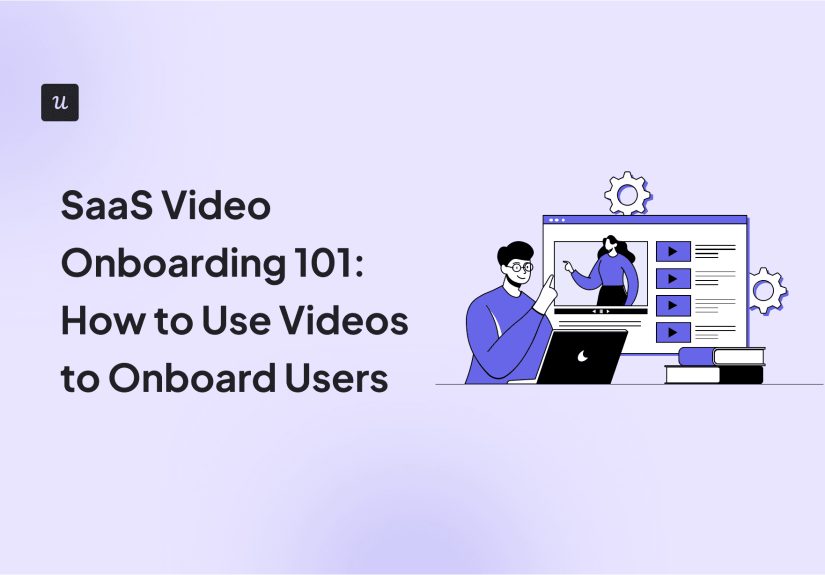
SaaS video onboarding is the strategic use of short, helpful videos to guide new users through a product, explain important features, reduce confusion, and help customers reach their first meaningful win faster. It is not just “record a screen and hope for applause.” Done well, video onboarding becomes a friendly product guide, a customer success assistant, a support deflector, and sometimes the only reason a user does not click “cancel trial” after five minutes of wandering around your dashboard like it is a haunted mansion.
For SaaS businesses, onboarding is not a decorative extra. It directly affects activation, product adoption, customer retention, customer satisfaction, support volume, and revenue growth. Videos make onboarding easier because they combine visuals, voice, motion, context, and step-by-step instruction in a format users can quickly understand. Instead of making customers read a 27-page help document before they have even created their first project, video lets you show the value of your product in action.
What Is SaaS Video Onboarding?
SaaS video onboarding is the process of using videos throughout the early customer journey to teach users how to get started, complete key actions, understand product value, and build confidence. These videos can appear inside the app, in welcome emails, in a help center, inside tooltips, in customer education portals, or as part of a live or automated onboarding sequence.
The goal is simple: help users move from “I signed up” to “I understand why this product matters to me.” That moment is often called the “aha moment.” In a project management SaaS, it may happen when a user creates their first board and invites a teammate. In an email marketing platform, it may happen when they launch their first campaign. In analytics software, it may happen when they connect data and see their first useful dashboard.
Video onboarding works best when it focuses on that specific journey. A great onboarding video does not try to explain every button, menu, setting, shortcut, and tiny gear icon hiding in the corner. It guides the user toward the next valuable action.
Why Video Works So Well for SaaS Onboarding
Video has become one of the most effective formats for software education because SaaS products are visual by nature. Users need to see where to click, what to expect, what success looks like, and how one action connects to the next. A written guide can explain those steps, but a video can demonstrate them in seconds.
Video Reduces Cognitive Load
Most new users do not want a full university course on your product. They want to solve a problem. Video helps reduce mental effort by showing the workflow instead of forcing users to interpret instructions. When users can watch someone complete the task, the product feels less intimidating.
Video Speeds Up Time to Value
Time to value is the amount of time it takes for a user to experience a meaningful benefit from your product. The shorter that time, the better your chance of keeping the user engaged. Short onboarding videos can remove friction by showing the fastest path to the first result.
Video Adds a Human Touch
SaaS products can feel cold when onboarding is nothing but pop-ups, forms, and empty dashboards. A simple welcome video from a founder, product expert, or customer success manager can make the experience feel more personal. Users are more patient when they feel a real human is guiding them, even if that human was recorded three months ago wearing suspiciously bright office lighting.
Video Scales Customer Education
One-on-one onboarding calls are valuable, but they are hard to scale. If every new customer needs a 45-minute demo, your customer success team will eventually need coffee delivered by forklift. Video allows SaaS teams to answer common questions once and reuse that answer across thousands of users.
The Best Types of SaaS Onboarding Videos
Not all onboarding videos serve the same purpose. A complete SaaS video onboarding strategy usually includes several types of videos, each designed for a specific stage of the user journey.
1. Welcome Videos
A welcome video appears right after signup or in the first onboarding email. Its job is not to teach everything. Its job is to set expectations, reassure the user, and explain what to do first.
A strong welcome video might say: “You are here to organize your customer pipeline. In the next three minutes, we will help you import your contacts, create your first deal stage, and invite your sales team.” That is far better than: “Welcome to our revolutionary cloud-based solution that leverages synergy.” Nobody has ever reached product activation through synergy fumes.
2. Product Tour Videos
Product tour videos give users a quick overview of the interface. These are useful when your product has several important areas, such as dashboards, settings, reports, templates, integrations, and collaboration tools.
The key is to keep the tour short and outcome-focused. Instead of naming every section, explain what users can accomplish in each area. For example, “This dashboard shows your campaign performance in real time” is more useful than “This is the dashboard tab.” Users can already read the tab. Be helpful, not a GPS that announces every tree.
3. Feature Walkthrough Videos
Feature walkthroughs explain how to use one specific feature. These videos are ideal for important actions such as setting up automation, creating a report, connecting an integration, customizing a template, or inviting team members.
The best feature walkthroughs are short, searchable, and easy to replay. A good rule: one video, one task, one clear outcome. If the video begins as “How to create your first invoice” and somehow ends in advanced tax settings, team permissions, and a surprise tour of the billing API, it has become a documentary.
4. Use Case Videos
Use case videos show how different types of users can apply the product to their specific goals. For example, a CRM platform might create separate onboarding videos for sales managers, account executives, marketing teams, and customer success teams.
This matters because users do not all care about the same features. A founder may want revenue visibility. A support manager may want faster ticket resolution. A marketer may want segmentation. Use case videos make onboarding feel relevant instead of generic.
5. In-App Micro Videos
Micro videos are short clips embedded directly inside the product. They may appear in tooltips, checklists, modals, empty states, or help widgets. These videos are powerful because they appear at the exact moment the user needs help.
For example, when a user lands on an empty analytics dashboard, a 30-second video can explain how to connect data and what the dashboard will show once setup is complete. This is much better than leaving users staring at a blank screen that quietly whispers, “Good luck.”
6. Troubleshooting Videos
Troubleshooting videos answer common support questions. These might include “Why is my data not syncing?”, “How do I reset permissions?”, or “How do I fix an import error?” By turning frequent tickets into short help videos, SaaS companies can reduce support load while helping users solve problems faster.
7. Customer Success and Best Practice Videos
Once users understand the basics, they need help becoming successful long term. Best practice videos teach strategy, not just clicks. Examples include “How to build a high-converting onboarding email sequence,” “How to organize your sales pipeline,” or “How to design a weekly reporting workflow.” These videos help users get better outcomes, which increases retention.
How to Build a SaaS Video Onboarding Strategy
A video onboarding strategy should not start with a camera. It should start with user behavior. Before recording anything, identify what new users need to accomplish, where they get stuck, and which actions predict long-term retention.
Step 1: Define the Activation Goal
Activation is the point where a user has completed the key action that indicates they are likely to continue using the product. For one SaaS platform, activation may mean creating a first project. For another, it may mean publishing a first form, adding a payment method, connecting an integration, or inviting three teammates.
Your onboarding videos should guide users toward that activation event. Otherwise, you may produce beautiful videos that win compliments but do not move business metrics. Compliments are nice. Retention is nicer.
Step 2: Segment New Users
Different users sign up for different reasons. A small business owner, enterprise admin, freelancer, developer, and marketing manager may all use the same product in very different ways. Segment users during signup or early onboarding by asking about their role, company size, goal, or use case.
Then show videos that match their needs. A developer does not need the same introduction as a nontechnical team lead. A solo founder probably does not need a five-minute lecture on enterprise permission structures. Save that thrill ride for the admins.
Step 3: Map Videos to the Onboarding Journey
Think of onboarding as a path, not a pile of content. Map video topics to specific stages:
- Signup: Welcome video and first-step explanation.
- Initial setup: Guided setup videos for account configuration, imports, integrations, or templates.
- First value: Short videos that help users complete the core activation action.
- Adoption: Feature videos that encourage deeper product usage.
- Expansion: Advanced tutorials, best practices, and role-specific workflows.
This structure prevents content overload. Users should receive the right video at the right time, not the entire product encyclopedia dropped on their head like a software-shaped piano.
Step 4: Keep Videos Short and Specific
Most onboarding videos should be short. For in-app videos, 30 to 90 seconds is often enough. For setup tutorials, two to four minutes may work. Longer videos can be useful for webinars or training libraries, but they should not block the first user experience.
Short videos perform well because users are busy. They are not signing up to admire your editing transitions. They want progress. Cut introductions, remove filler, and show the action quickly.
Step 5: Write a Simple Script
A good script keeps the video focused. Use this simple structure:
- State the outcome: “In this video, you will learn how to create your first campaign.”
- Explain why it matters: “This helps you send targeted messages to new leads.”
- Show the steps: Demonstrate the workflow clearly.
- Confirm success: Show what the completed result looks like.
- Give the next step: Tell users what to do after the video.
Keep the language conversational. Avoid jargon unless your audience expects it. A helpful onboarding video sounds like a smart teammate, not a corporate robot reading from a toaster manual.
Step 6: Add Captions and Visual Cues
Captions improve accessibility and help users who watch without sound. Visual cues such as zooms, highlights, arrows, and cursor emphasis make it easier to follow the action. This is especially important for complex dashboards or settings-heavy products.
Do not overdo animations. A subtle highlight is helpful. Twelve bouncing arrows, spinning icons, and confetti for every click may make users wonder if they accidentally joined a children’s game show.
Step 7: Place Videos Where Users Need Them
Distribution matters as much as production. A brilliant onboarding video buried in a help center basement will not help users who never find it. Place videos in high-impact locations:
- Welcome screens
- Onboarding checklists
- Empty states
- Tooltips and hotspots
- Lifecycle emails
- Knowledge base articles
- Customer education academies
- In-app resource centers
When video appears in context, it feels like help. When it appears randomly, it feels like a pop-up wearing a tiny director’s hat.
Examples of SaaS Video Onboarding in Action
Imagine a project management SaaS. A new user signs up and selects “marketing team” as their use case. The first welcome video explains how marketing teams can plan campaigns, assign tasks, and track deadlines. The checklist then offers three actions: create a campaign board, invite teammates, and choose a template.
Each checklist item includes a short video. The template video shows how to choose a content calendar template. The invite video explains permissions. The campaign board video demonstrates how to create tasks and deadlines. Once the user completes those actions, they receive a best practice video on running weekly campaign meetings.
Now compare that to a generic onboarding experience that says, “Explore the dashboard.” Explore what? For how long? With snacks? Specific video guidance turns vague exploration into purposeful progress.
Another example: an analytics SaaS can use video to simplify technical setup. A new user who wants to connect Shopify data should not see the same onboarding as a user connecting Salesforce. A segmented setup video can walk through the exact integration, explain common errors, and show what the completed dashboard should look like. This reduces frustration and support tickets.
Common Mistakes in SaaS Video Onboarding
Mistake 1: Making One Giant Video for Everyone
A 20-minute “complete product overview” may sound efficient for the company, but it is rarely efficient for users. People skip, skim, or abandon long videos when they cannot find the part they need. Break large topics into smaller videos organized by goal.
Mistake 2: Explaining Features Instead of Outcomes
Users do not care about features in isolation. They care about what those features help them accomplish. Instead of saying, “This is our automation builder,” say, “Use this automation builder to send a follow-up email when a lead fills out your form.” Outcome beats feature every time.
Mistake 3: Ignoring Personalization
Generic onboarding creates generic results. Personalize videos by user role, industry, company size, plan type, behavior, or goal. Even basic segmentation can make the experience feel much more relevant.
Mistake 4: Forgetting to Measure Performance
Video onboarding should be measured. Track views, completion rates, drop-off points, clicks after watching, activation rate, support ticket reduction, trial conversion, and feature adoption. If users stop watching after 18 seconds, your opening may be too slow. If users watch the video but still do not activate, the next step may be unclear.
Mistake 5: Letting Videos Go Stale
SaaS products change constantly. Interfaces evolve, buttons move, features get renamed, and someone in product decides “Settings” should now be called “Command Center.” Review onboarding videos regularly so users do not see outdated screens.
How to Measure SaaS Video Onboarding Success
To know whether your videos are working, connect video performance to product behavior. Vanity metrics alone are not enough. A video with many views is nice, but the real question is whether users take meaningful action afterward.
Important SaaS video onboarding metrics include:
- Video play rate: How many users click play when the video is shown?
- Completion rate: How many users watch until the end?
- Drop-off point: Where do users stop watching?
- Activation rate: Do viewers complete the key onboarding action?
- Feature adoption: Do users engage with the feature explained in the video?
- Time to value: Do users reach their first win faster?
- Support ticket volume: Do common questions decrease?
- Trial-to-paid conversion: Do users who watch onboarding videos convert at a higher rate?
- Retention: Do video-guided users stay active longer?
The best SaaS teams test and improve continuously. Try different video lengths, placements, thumbnails, scripts, calls to action, and audience segments. Treat onboarding videos like product experiences, not one-time marketing assets.
Best Practices for Creating High-Converting Onboarding Videos
Focus on One Job Per Video
Every video should answer one question or help users complete one job. This makes the content easier to understand, easier to search, and easier to update later.
Show the Real Product
Use actual product screens whenever possible. Animated explainers can be useful for concepts, but users need to see the real workflow. A polished animation that does not show the interface may look nice, but it will not help someone find the “Import CSV” button.
Use Clear Calls to Action
End each video by telling users what to do next. Examples include “Create your first workspace,” “Invite your team,” “Choose a template,” or “Connect your data source.” A video without a next step is just a tiny movie.
Make Videos Searchable
Add titles, descriptions, tags, transcripts, and chapter markers. This improves user experience and helps search engines understand your content when videos are published in a help center or academy.
Design for Accessibility
Include captions, readable text, strong contrast, keyboard-friendly embedding, and transcripts. Accessibility is not just a compliance checkbox. It makes your onboarding better for everyone, including users watching quietly during a meeting they are absolutely, definitely paying attention to.
Blend Video with Interactive Onboarding
Video is powerful, but it should not replace all interaction. Combine videos with checklists, tooltips, templates, sample data, progress indicators, and in-app prompts. Users learn best when they can watch, then immediately do.
Where SaaS Video Onboarding Fits in the Customer Journey
Video onboarding should extend beyond the first login. A mature strategy uses video across the entire customer lifecycle.
During Trial
Trial users need fast wins. Use videos to remove setup friction, demonstrate core value, and guide users to actions that increase conversion.
After Purchase
Paid customers need confidence. Use videos to explain account setup, team workflows, permissions, billing, integrations, and success milestones.
During Feature Launches
When you release a new feature, create a short video that explains what changed, why it matters, and how to use it. This can increase adoption and reduce confusion.
For Expansion and Upsell
Advanced videos can show users how to get more value from premium features. The trick is to educate first and sell second. Nobody enjoys being ambushed by an upsell disguised as a tutorial.
of Practical Experience: What Actually Works in SaaS Video Onboarding
From practical experience, the biggest difference between average SaaS video onboarding and excellent SaaS video onboarding is not expensive equipment. It is empathy. The best onboarding videos are created by teams that understand where users feel confused, impatient, skeptical, or overwhelmed. They do not start by asking, “What do we want to show?” They ask, “What does the user need to accomplish next?”
One of the most useful approaches is to review support tickets before planning videos. If new users repeatedly ask how to import data, connect an integration, add team members, or understand pricing limits, those topics should become onboarding videos. Support conversations are basically free script research. They reveal the exact words customers use, the steps they miss, and the assumptions your product team may not realize it is making.
Another lesson: rough but useful often beats polished but late. Many SaaS teams delay video onboarding because they want perfect lighting, perfect voiceover, perfect animation, and a soundtrack that sounds like a confident startup wearing expensive sneakers. Meanwhile, users are struggling today. A clear two-minute screen recording with good audio, captions, and a helpful structure can outperform a glossy video that takes three months to produce and arrives after the interface has already changed.
That said, audio quality matters more than people think. Users will forgive a simple screen recording, but they will not forgive muffled sound, background noise, or narration that sounds like it was recorded inside a dishwasher. Use a decent microphone, speak slowly, and remove long pauses. The goal is not Hollywood. The goal is clarity.
It also helps to create videos in batches. For example, a SaaS company can build a “first value” video set in one sprint: welcome video, setup video, first task video, invite teammate video, and troubleshooting video. This creates a complete starter journey instead of one lonely video floating in the product like a helpful little island.
In-app placement is another practical win. Many teams upload videos to a help center and stop there. But users often need guidance before they know what to search for. Embedding a short video in an empty state, checklist item, or setup screen can prevent confusion at the exact moment it appears. This is especially effective for technical SaaS products where setup has dependencies, such as API keys, data imports, permissions, or integrations.
Finally, the most successful teams treat onboarding videos as living product assets. They review analytics, watch drop-off points, compare viewer behavior with activation data, and update videos when the interface changes. They also remove videos that are not helping. More content is not always better. A cluttered video library can become a junk drawer with thumbnails.
The real goal of SaaS video onboarding is not to make users watch videos. The goal is to help users succeed faster. When videos are short, relevant, timely, and connected to product actions, they become one of the most effective ways to turn confused signups into confident customers.
Conclusion
SaaS video onboarding is one of the smartest ways to guide new users, shorten time to value, increase activation, and reduce support pressure. But it only works when videos are created with strategy. The best onboarding videos are short, specific, personalized, accessible, and placed exactly where users need help.
Instead of overwhelming customers with every feature at once, use video to guide them toward meaningful outcomes. Welcome them. Show the first step. Help them complete the action that proves your product is valuable. Then continue supporting them with feature walkthroughs, use case videos, troubleshooting clips, and best practice content.
In SaaS, onboarding is where trust begins. A good video can make a complicated product feel simple, a faceless dashboard feel human, and a hesitant trial user feel ready to take action. That is not just good education. That is good business.