Table of Contents >> Show >> Hide
- What Are CSS Transitions?
- What Are CSS Animations?
- The Main Difference Between CSS Animations and Transitions
- When Should You Use CSS Transitions?
- When Should You Use CSS Animations?
- CSS Animations vs Transitions: Side-by-Side Comparison
- Performance: Which One Is Faster?
- Accessibility Matters Too
- Common Mistakes Developers Make
- How to Choose Between CSS Animation and Transition
- Can You Use CSS Animations and Transitions Together?
- Real-World Examples
- Practical Experience: What I’ve Learned About CSS Animations and Transitions
- Conclusion
- SEO Tags
CSS movement is one of those web design topics that sounds simple until your button starts wobbling like it drank three espressos. Should you use a CSS transition? Should you write a full CSS animation with @keyframes? Are they the same thing wearing different hats? Not quite.
The main difference between CSS animations and transitions is control. A CSS transition is best for a simple change from one state to another, such as a button changing color on hover. A CSS animation is built for more complex, multi-step motion that can run automatically, repeat, pause, reverse, and move through several stages without needing a user action.
In plain English: transitions are great for “when this changes, make it smooth.” Animations are great for “make this thing perform a little routine.” One is a graceful door opening. The other is the door doing jazz hands.
What Are CSS Transitions?
A CSS transition lets an element move smoothly between two style states. Instead of instantly changing from blue to green, small to large, or invisible to visible, the browser calculates the in-between steps over a chosen duration.
For example, imagine a button that becomes darker when a user hovers over it. Without a transition, the color snaps immediately. With a transition, the color gradually changes, making the interaction feel polished and intentional.
This is a classic CSS transition. The element has a default state and a hover state. The transition tells the browser how to move between them. The trigger is the state change, usually caused by :hover, :focus, :active, a class change, or JavaScript.
Key Characteristics of CSS Transitions
CSS transitions are simple, direct, and usually tied to user interaction. They need a beginning state and an ending state. They do not define multiple steps unless you create additional state changes with JavaScript or extra classes.
The main transition properties are transition-property, transition-duration, transition-timing-function, and transition-delay. Most developers use the shorthand transition because life is short and typing four properties for every hover effect is how keyboards develop trust issues.
This works beautifully when the goal is a clean, responsive interface. Menus, buttons, cards, links, form fields, modals, and dropdowns often benefit from transitions because the motion is tied to a clear change in state.
What Are CSS Animations?
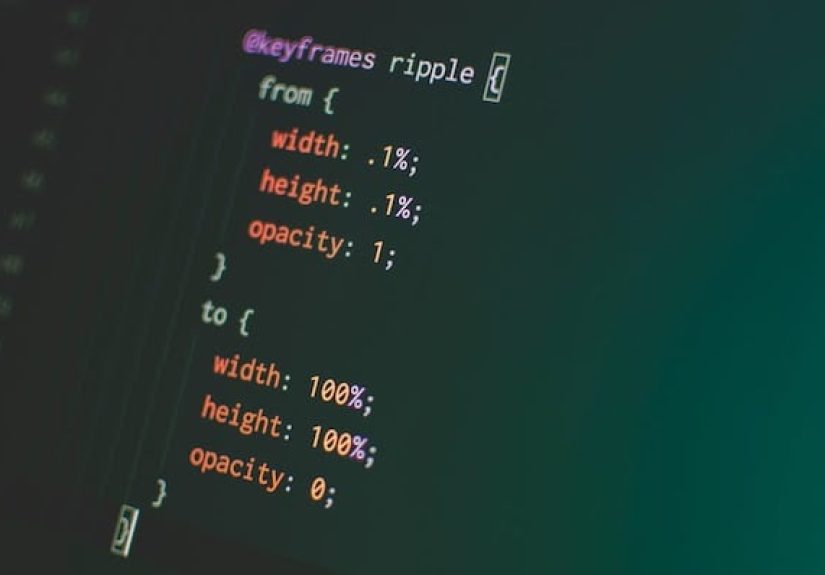
A CSS animation is a more powerful motion system. Instead of relying only on a start and end state, animations use @keyframes to define what happens at different points during the sequence.
That means you can animate from one style to another, then to another, then back again. You can loop the animation forever, run it once, delay it, reverse it, alternate direction, pause it, or control what styles apply before and after it runs.
Here, the element does not need a hover state or a class change to start moving. Once the animation is applied, it runs according to the animation settings. That makes CSS animations ideal for loaders, notification badges, skeleton screens, decorative movement, onboarding effects, and attention-grabbing microinteractions.
Key Characteristics of CSS Animations
CSS animations can begin automatically, include multiple steps, repeat indefinitely, and offer more control over timing and direction. They are commonly managed with properties such as animation-name, animation-duration, animation-timing-function, animation-delay, animation-iteration-count, animation-direction, animation-fill-mode, and animation-play-state.
That sounds like a lot, but the shorthand keeps things manageable:
This example creates a simple spinning loader. A transition would not be the natural choice here because there is no user-triggered state change. The loader needs to keep moving on its own until the app finishes doing whatever mysterious loading ritual is happening in the background.
The Main Difference Between CSS Animations and Transitions
The main difference is that CSS transitions animate a change between two states, while CSS animations define a full sequence of motion using keyframes.
A transition says, “When this property changes, smooth it out.” An animation says, “Follow this timeline I designed.” That timeline can include two steps or twenty. It can run once, loop forever, or alternate direction like a tiny CSS treadmill.
CSS Transitions Are State-Based
Transitions depend on a change. Something must cause the CSS property to shift from one value to another. This could be a user hovering over a button, focusing an input field, opening a menu, toggling a class, or updating styles with JavaScript.
For example, a mobile menu sliding in after a class is added can use a transition:
The browser sees the transform value change and smoothly transitions between the two values. Simple, readable, effective.
CSS Animations Are Timeline-Based
Animations do not require a state change to run. They are based on a defined timeline. Once the animation is attached to an element, the browser follows the keyframes.
This is useful for a status indicator, live notification, or loading state. It repeats without waiting for the user to hover, click, or politely ask the dot to move.
When Should You Use CSS Transitions?
Use CSS transitions when you want to smooth out a direct state change. They are usually the best choice for interface feedback because they are lightweight, easy to read, and easy to maintain.
Best Use Cases for CSS Transitions
CSS transitions work well for hover effects, focus states, button feedback, menu opening and closing, accordion panels, card elevation, color changes, opacity changes, and simple transforms.
For example, a card hover effect is a perfect transition use case:
The card has two states: normal and hover. The transition simply makes the change feel smooth. No keyframes needed. No dramatic orchestral score required.
When Should You Use CSS Animations?
Use CSS animations when the motion has more than two states, needs to run automatically, needs to repeat, or needs a custom sequence. Animations are better when you want the browser to follow a predefined choreography.
Best Use Cases for CSS Animations
CSS animations are great for loading spinners, pulsing indicators, bouncing arrows, skeleton loading screens, hero section entrance effects, looping decorative elements, progress cues, and multi-step storytelling effects.
For example, a skeleton loading shimmer is better handled with animation:
This effect repeats while content loads. A transition would be awkward here because there is no simple before-and-after interaction. The animation is the behavior.
CSS Animations vs Transitions: Side-by-Side Comparison
| Feature | CSS Transitions | CSS Animations |
|---|---|---|
| Main purpose | Smooth change between two states | Create a defined motion sequence |
| Trigger | Requires a state or property change | Can start automatically |
| Complexity | Simple | More advanced |
| Steps | Start and end state | Multiple keyframes |
| Looping | Not built in | Built in with iteration count |
| Best for | Buttons, hover effects, menus, UI feedback | Loaders, pulsing effects, complex movement, sequences |
Performance: Which One Is Faster?
Neither CSS transitions nor CSS animations are automatically faster in every situation. Performance depends more on which properties you animate than on whether you choose transition or animation.
For smooth CSS motion, the safest properties are usually transform and opacity. These are easier for browsers to optimize because they often avoid expensive layout recalculations. Properties like width, height, top, left, margin, and box-shadow can be more costly, especially when many elements move at once.
Instead of animating left, use transform: translateX(). Instead of animating height for a fancy reveal, consider whether a transform, opacity change, or carefully managed layout transition would be smoother.
The golden rule: animate the illusion of movement when possible, not the entire page layout. Your browser will thank you by not turning your interface into a slideshow from 2007.
Accessibility Matters Too
Motion can make an interface feel modern, but too much movement can distract or even discomfort some users. Good CSS motion should support the user experience, not grab the steering wheel.
Use the prefers-reduced-motion media query to reduce or remove nonessential animations for people who have requested less motion in their system settings.
This is especially important for looping animations, large parallax effects, spinning elements, and dramatic page transitions. A subtle hover effect is usually fine, but a full-screen spinning galaxy every time someone opens a menu is a bit much. Unless your website is selling motion sickness bags, keep it tasteful.
Common Mistakes Developers Make
Using Animations When a Transition Would Be Cleaner
Many beginners reach for @keyframes too quickly. If your element simply changes from one state to another, a transition is usually cleaner. A hover color change does not need a full animation timeline. That is like renting a parade float to cross the street.
Using Transitions for Repeating Motion
On the other hand, transitions are not ideal for continuous movement. A loading spinner, pulsing badge, or bouncing arrow should usually be an animation because these effects need built-in repetition.
Animating Too Many Properties
Another common problem is animating everything. Writing transition: all 0.3s ease; may look convenient, but it can create unexpected effects and performance issues. It is better to name the properties you actually want to animate.
Making Motion Too Slow
Microinteractions should feel quick. Many UI transitions work well between 150ms and 300ms. Larger panel movements may need 300ms to 500ms. If every hover effect takes a full second, users may feel like the interface is moving through peanut butter.
How to Choose Between CSS Animation and Transition
Ask yourself one simple question: is this motion responding to a change, or is it running as a planned sequence?
If the motion responds to a change, use a transition. If a button, link, card, modal, tab, menu, or input field changes state, transitions are usually the right tool.
If the motion needs a timeline, use an animation. If the element should bounce, spin, pulse, fade in through multiple stages, loop, or perform an entrance effect on page load, CSS animations are usually better.
A Simple Decision Rule
Use transition for simple state changes. Use animation for complex sequences. That one rule will solve most confusion.
Here is an easy way to remember it: transitions are reactions; animations are performances. A transition reacts when something changes. An animation performs according to a script.
Can You Use CSS Animations and Transitions Together?
Yes, and many polished interfaces do exactly that. You might use a transition for hover states and an animation for a loading indicator on the same component. The trick is to avoid competing motion on the same property at the same time.
For example, a button can transition on hover while an icon inside it uses a small keyframe animation:
This approach works because the button and icon have separate motion roles. The button responds to hover, while the icon performs a tiny animation. It feels interactive without becoming a circus.
Real-World Examples
Example 1: Button Hover Effect
A button hover effect should almost always use a transition. The user performs an action, the visual state changes, and the transition smooths that change.
Example 2: Loading Spinner
A loading spinner should use an animation because it needs continuous movement.
Example 3: Toast Notification
A toast notification might use animation for its entrance and transition for its hover state. The entrance is a planned sequence; the hover feedback is a state change.
Practical Experience: What I’ve Learned About CSS Animations and Transitions
In real projects, the biggest lesson is that the simplest motion usually wins. Developers often want to show off with complex CSS animations, but users mostly want an interface that feels fast, clear, and comfortable. A small transition on a button can do more for perceived quality than a dramatic animation that steals attention from the content.
When building navigation menus, I usually start with transitions. A menu opening from the side, a dropdown fading into view, or a link underline sliding in can be handled with clean transition rules. These effects are easy to debug because there are only two states: closed and open, inactive and active, normal and hover. If the design changes later, transitions are also easier to adjust. You can tweak duration, easing, or distance without rewriting a full keyframe sequence.
For loading states, I reach for animations. A spinner, shimmer, pulsing dot, or progress indicator needs to move without user interaction. This is where @keyframes becomes the right tool. The animation can repeat until the loading state ends, and the component remains self-contained. A good loading animation should feel calm and lightweight. If the loader looks like it is training for the Olympics, it probably needs to be toned down.
Another practical lesson is to be careful with easing. The difference between linear, ease, ease-in, and ease-out can completely change how motion feels. For UI feedback, ease-out often feels natural because the motion starts quickly and settles gently. For infinite spinners, linear usually works better because the rotation stays consistent. Using the wrong easing can make a perfectly coded effect feel strangely robotic.
I also avoid transition: all in production code whenever possible. It is tempting because it is short, but it can animate properties you did not intend to animate. That can lead to strange bugs when another developer changes padding, border, width, or layout-related styles later. Naming the animated properties keeps the code safer and more predictable.
One of the most useful habits is testing motion on real devices, not just a powerful development machine. An animation that looks smooth on a high-end laptop may feel choppy on an older phone. This is why I prefer transform and opacity for most motion. They are reliable, flexible, and usually easier for the browser to handle efficiently.
Finally, I have learned that motion should explain what happened. A modal fading in helps users understand that a new layer appeared. A button lifting slightly on hover suggests interactivity. A toast sliding in shows that a message has arrived. Good CSS movement is not decoration for decoration’s sake. It is a visual hint. When animations and transitions guide the user, they make the website feel smarter. When they distract the user, they become digital confetti. And digital confetti, while festive, is rarely the business goal.
Conclusion
The main difference between CSS animations and transitions comes down to purpose and control. CSS transitions are best for simple changes between two states, especially when the change is triggered by user interaction. CSS animations are better for complex, multi-step, automatic, or repeating motion.
Use transitions when you want a hover, focus, open, close, or active state to feel smoother. Use animations when you need keyframes, loops, delays, direction control, or a full motion sequence. Both tools are valuable, and neither is “better” in every situation. The best choice depends on what the movement needs to do.
For performance, focus less on the label and more on the animated properties. Whether you choose transitions or animations, stick with transform and opacity whenever possible, respect reduced-motion preferences, and keep effects purposeful. Smooth CSS motion should feel like a helpful guide, not a tiny web gremlin demanding applause.